
You open your filing cabinet only to find a jumble of unmarked folders and crumpled papers from years past. This chaos wastes time and causes unnecessary stress when you cannot find critical documents quickly.
Learning how to organize a filing cabinet transforms that mess into a streamlined archive you can navigate with ease. This guide covers sorting methods, labeling tricks, and maintenance tips to keep your records accessible forever.
Sort Files by Category Before Placing Them in Drawers
Sorting is the absolute foundation of an effective filing system. You must remove every single item from the cabinet to assess your total volume of paperwork accurately.
Group Documents Logically by Purpose
Decide on one primary method to organize your files to prevent future confusion. Most successful systems rely on grouping by client, project, or date depending on your specific needs.
- Client-based: Perfect for freelancers or law firms managing many different people.
- Project-based: Ideal for teams handling multiple distinct initiatives simultaneously.
- Date-based: Best for tax records, invoices, or any time-sensitive reports.
Stick to one main system per drawer so you do not mix logic types. Choose the method that matches how you most often search for specific files.
Separate Active Files from Archived Records
Create two distinct piles during your sort: active files you use often and archived files you rarely need. Archived files should not occupy prime space in your main working cabinet.
Move these less-used documents to labeled storage boxes with clear date ranges immediately. This separation keeps your daily-use files front and center while reducing visual clutter significantly.
Use Vertical Dividers to Create Distinct Sections
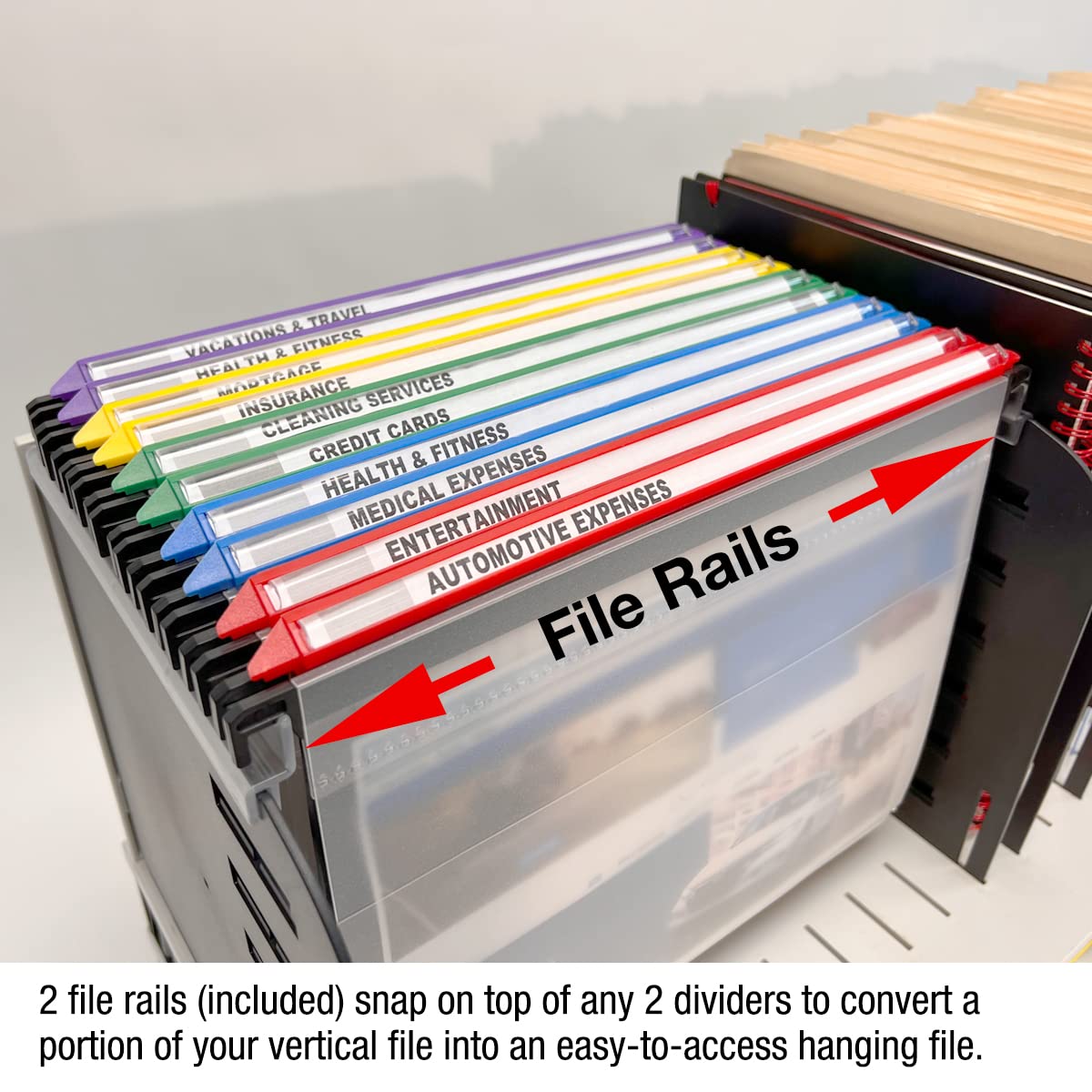
Vertical file dividers act as physical boundaries between your categories within each drawer. These tools make it easy to flip directly to the right area without digging.
Install One Divider Per Major Category
Slide a sturdy divider into the rail after each major group like Taxes, HR, or Client Contracts. Write the category name clearly on the tab so it remains visible when the drawer is open.
This simple step prevents files from shifting together and maintains order even with frequent access. Your categories stay distinct and easy to identify at a glance.
Choose Sturdy Dividers for Daily Use
Opt for reinforced cardboard or plastic dividers that can withstand daily handling and wear. Some models feature adjustable tabs or extra pockets for additional notes or small items.
Avoid flimsy options that bend or tear over time as they will fail to hold sections apart. Investing in quality dividers ensures your system lasts for years without needing replacement.
Label Everything Clearly for Instant Recognition

A filing cabinet is only as good as its labels because unreadable tabs make files impossible to find. If you cannot read the tab quickly, the file might as well not exist in your system.
Use Durable and Legible Labeling Methods
Print or write labels using a bold and easy-to-read font style for maximum clarity. Laminated labels or those created with a dedicated label maker last much longer than sticky notes.
Include full names on your labels and avoid abbreviations unless everyone in your office understands them universally. Clear text eliminates guesswork during retrieval.
Position Labels for Maximum Visibility
Ensure all folder and divider labels face forward and align at the exact same height within the drawer. This creates a clean and uniform look that lets you scan contents quickly.
If you use hanging folders, make sure the tab extends above the divider for full visibility. Proper alignment turns your cabinet into an organized visual map of your documents.
Color-Code Your System for Faster Access
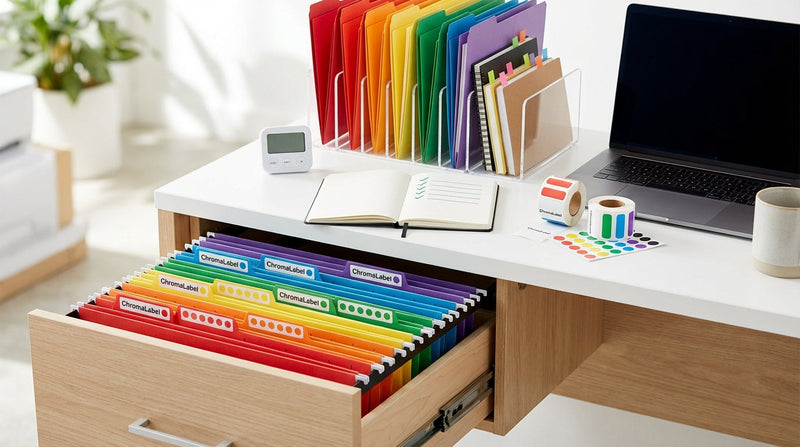
Adding color to your filing system turns visual scanning into a powerful tool for speed. With a single glance, you can identify file types or priority levels without reading text.
Assign Specific Colors by Type or Department
Use colored file folders or label borders to represent different categories consistently throughout your cabinet. For example, use red for financial records and blue for client files.
- Red: Financial records and tax documents
- Blue: Client files and correspondence
- Green: HR and personnel records
- Yellow: Projects currently in progress
Document your color scheme and share it with anyone who accesses the cabinet to ensure consistency. Everyone must follow the same rules for the system to work effectively.
Combine Color with Alphabetical Order
Pair your color coding with alphabetical or numerical order within each specific section. Under your blue Client Files section, arrange folders strictly from A to Z.
This dual-layer system speeds up retrieval without overcomplicating the overall structure. You find the color first, then scan the alphabet for the specific name.
Place Frequently Used Files in Top Drawers
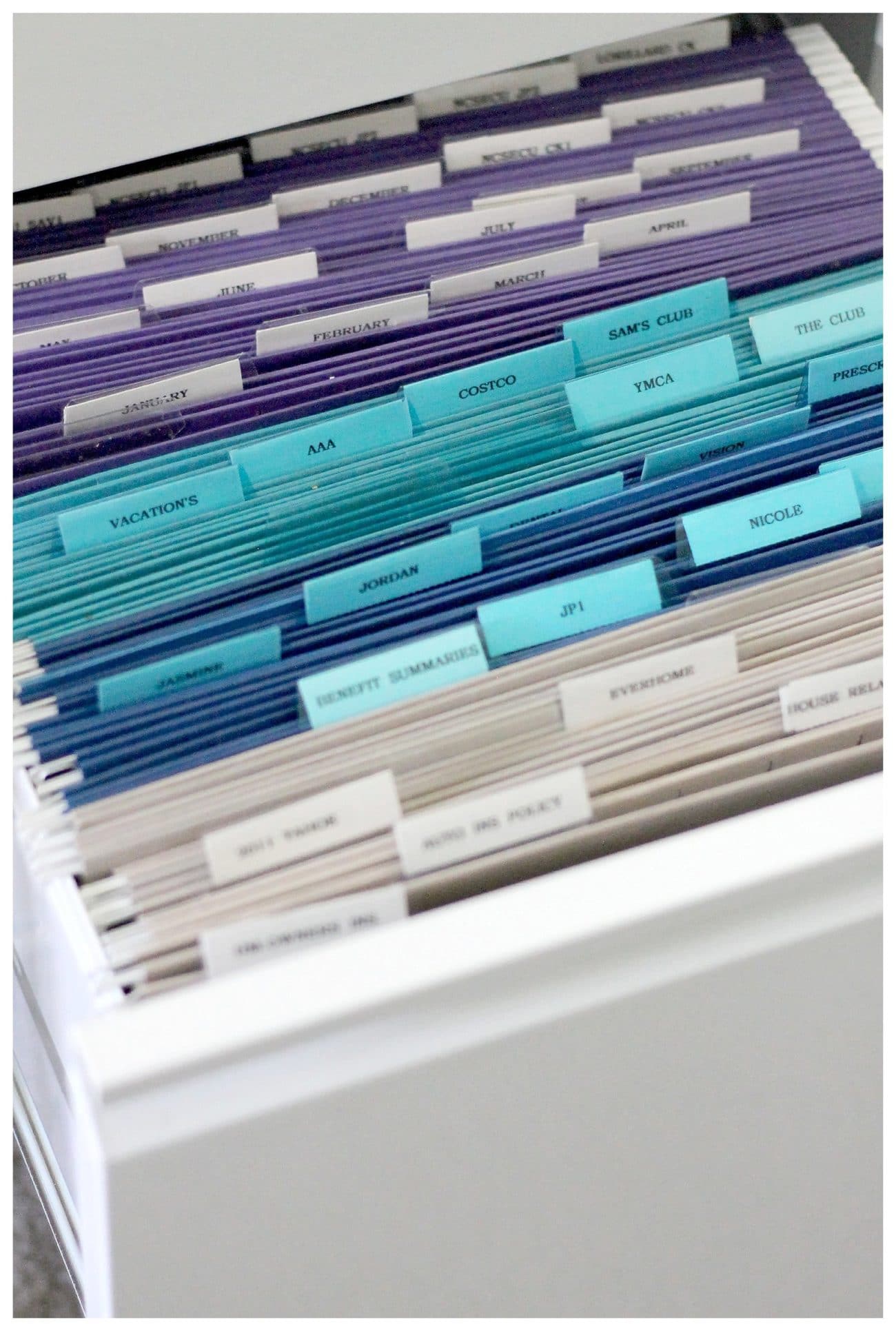
Drawer placement matters significantly for workflow efficiency and physical comfort. Do not bury your most-accessed files at the bottom where they are hard to reach daily.
Reserve the Top Drawer for Daily Use
Store active projects, current clients, or essential reference materials in the upper drawer exclusively. This minimizes bending and speeds up routine tasks throughout your workday.
Think of the top drawer as prime real estate where only the most valuable files get a spot. Keeping these items close saves you time and effort every single day.
Use Lower Drawers for Reference or Archive
Place less-used files, backups, or historical data in the lower drawers of your cabinet. If you have a four-drawer unit, consider a tiered approach for organization.
- Drawer 1: Active files for daily use
- Drawer 2: Inactive but still accessible files
- Drawer 3–4: Archived or seasonal records
This tiered approach supports an efficient workflow and reduces physical fatigue from bending. Your most needed items stay within easy reach while older data remains stored safely.
Maintain a Master Index for Quick Retrieval
Even the best-organized cabinet fails if no one knows where things are located exactly. A master index acts as a roadmap to your entire filing system for you and your team.
Create a Digital or Printed Log
List every file, its location including drawer and section, and a brief description of contents. Update this log whenever files are added, moved, or purged from the system.
- Keep a printed sheet in a binder on your desk for quick reference.
- Save a copy in a shared drive or cloud folder for team access.
- Place a labeled folder at the front of the cabinet containing the index.
Having multiple access points for your index ensures you can always find what you need. It serves as the central nervous system for your entire filing operation.
Include Search-Friendly Details in Your Index
Add keywords, dates, and related parties to your index entries for better searchability. For example, write “Smith, John – Contract – 2023” instead of just “Smith.”
This turns your index into a searchable database, which is especially helpful when dealing with hundreds of files. Detailed entries save you from opening multiple folders to find the right one
Audit and Purge Files Regularly
An organized cabinet will not stay that way without consistent maintenance and review. Over time, files become outdated, duplicated, or completely irrelevant to your current work.
Schedule Quarterly File Reviews
Set a calendar reminder every three months to review the contents of your filing cabinet thoroughly. Ask yourself if each file has been accessed in the past six months.
- Has this file been accessed in the past 6 months?
- Is the information still accurate and relevant?
- Does it meet current legal or tax retention requirements?
Shred or archive what is no longer needed immediately. This prevents buildup and ensures your system remains compliant and efficient year after year.
Follow Document Retention Rules Strictly
Different documents have different lifespans based on legal and business requirements. General guidelines suggest keeping tax records for seven years and payroll files for four to seven years.
- Tax records: Keep for 7 years
- Payroll files: Keep for 4–7 years
- Contracts: Keep for 3–10 years depending on type
- Expired licenses: Keep for 1–3 years after expiration
When in doubt, consult legal or HR guidelines before disposal to avoid accidental data loss. Following these rules protects you while keeping your cabinet lean.
Store Archived Files Off-Site Securely

Once files are no longer active, remove them from your daily workspace immediately. This keeps your cabinet lean, functional, and focused on current business needs.
Use Labeled Archive Boxes for Storage
Transfer old files to sturdy, fire-resistant storage boxes designed for long-term preservation. Clearly mark each box with the category, date range, and retention end date.
Store these boxes in a dry and secure location like a basement shelf or off-site storage unit. Proper storage protects your important history from damage and theft.
Track Box Locations in Your Index
Update your master index to include archive box numbers and their specific storage spots. For example, note “Box 07 – 2019 Invoices – Stored in Closet B.”
This ensures archived files are retrievable when needed rather than lost forever in storage. Your index remains the single source of truth for all document locations.
Frequently Asked Questions About Organizing a Filing Cabinet
How often should I purge old files from my cabinet?
You should review and purge files every three months to prevent clutter buildup. Quarterly audits help you identify outdated documents and ensure compliance with retention rules.
What is the best way to label hanging folders?
Use a label maker or bold printed text on durable labels for the clearest results. Position all labels at the same height and ensure they face forward for quick scanning.
Can I mix different filing methods in one drawer?
It is best to stick to one primary method per drawer to avoid confusion. Mixing client-based and date-based systems in the same space makes finding files difficult.
Where should I store files I rarely use?
Move rarely used files to labeled archive boxes and store them in lower drawers or off-site. This frees up prime space in your top drawers for active daily work.
Why use color coding in a filing system?
Color coding allows you to identify file types or departments with a single glance. It speeds up retrieval and reduces errors when filing or searching for documents.
What supplies do I need to organize my cabinet effectively?
You need vertical dividers, durable labels, colored folders, and sturdy archive boxes. A master index log is also essential for tracking file locations accurately.
Key Takeaways for Organizing Your Filing Cabinet
Organizing a filing cabinet requires sorting logically, labeling clearly, and maintaining consistency over time. By separating active files from archives and using color coding, you create a system that saves hours of searching.
Start today by emptying your cabinet and defining your categories based on your workflow needs. Regular audits and a solid master index will keep your system efficient and stress-free for years to come.


